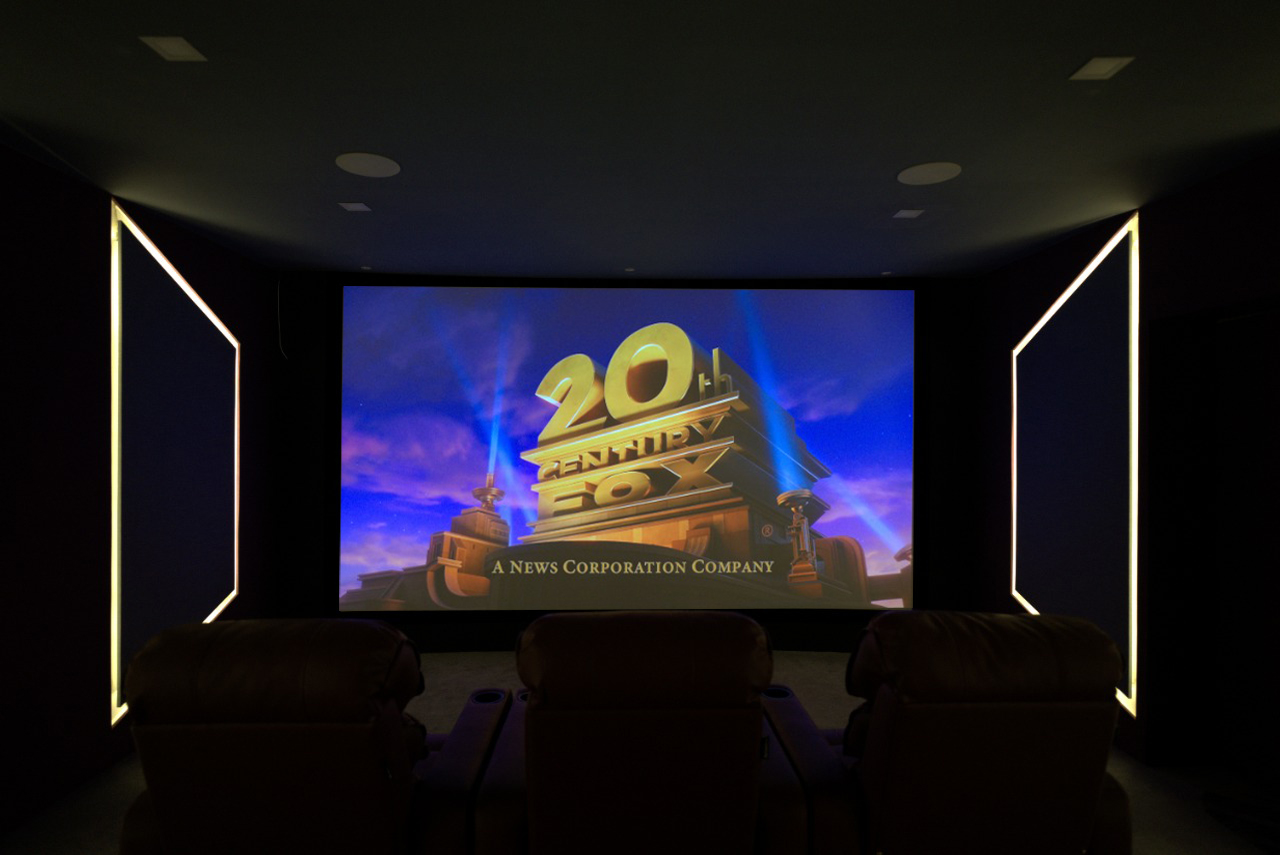
madVR Envy and ISF Projector Calibration
Reference-Level Picture for High-End Home Cinemas
Key facts
- The madVR Envy is a dedicated video processor by madVR Labs. It is typically placed between the AV receiver and the projector.
- Its main jobs are frame-by-frame HDR tone mapping, aspect ratio handling, upscaling and 3D LUT colour calibration.
- It is most useful in large-screen projector cinemas, especially with scope (wide) screens.
- Its tone mapping and colour tables are set from the screen's measured brightness and colour, so measurement matters.
- SMART Home Cinema supplies, sets up and calibrates the madVR Envy within its home cinema projects across South India.
- Paul Joseph Klattan is ISF Certified and Certified for Envy – Product Specialist (Level 1) by madVR Labs.
A madVR Envy is a dedicated video processor used in high-end home cinemas to prepare every frame before the projector shows it. Its setup depends on measurement of the actual screen and room. SMART Home Cinema supplies, sets up and calibrates the madVR Envy within its home cinema projects, combining madVR Envy certification with ISF video calibration so the processor, projector and screen are set up as one system.
What is a madVR Envy?
The madVR Envy is a dedicated video processor made by madVR Labs. It prepares each frame before the projector displays it. Its main jobs are frame-by-frame HDR tone mapping, automatic aspect ratio handling, upscaling and high-precision colour calibration, all in one unit that works alongside the projector's own processing.
In a typical installation, the source plays into the AV receiver, the receiver sends HDMI to the Envy, and the Envy sends HDMI to the projector. Sound stays with the receiver. Other layouts exist; the right one depends on the equipment.
According to madVR Labs' published model comparison (Rev 2026A), every model in its comparison includes:
- Frame-by-frame 4K HDR dynamic tone mapping, with what madVR Labs calls highlight, contrast and shadow detail recovery
- Automatic aspect ratio and black bar detection, including IMAX format
- Non-linear stretch for scope (wide) screens and 16:9 screens
- Subtitle management, which fits subtitles by dynamically resizing the image
- AI upscaling up to 4K60
- 3D LUT calibration — the hardware supports up to 256³ 3D and 4,096-point 1D tables at 12-bit precision, and works with Calman and ColourSpace. The LUT size used in practice depends on the calibration software.
How do the newest madVR Envy models differ?
| Feature | Core MK2 | Core MK2 + Premium Pack | Pro MK3 | Extreme MK3 |
|---|---|---|---|---|
| Frame-by-frame HDR dynamic tone mapping | ✔ | ✔ | ✔ | ✔ |
| Automatic aspect ratio detection | ✔ | ✔ | ✔ | ✔ |
| 3D LUT calibration | ✔ | ✔ | ✔ | ✔ |
| Upscaling to 5K / 8K | — | ✔ | ✔ | ✔ |
| AI compression artifact and noise reduction | — | ✔ | ✔ | ✔ |
| Geometry correction (curved screens, anamorphic lens) | — | — | — | ✔ |
| MotionAI motion interpolation | — | — | — | ✔ |
| Warranty | 2 years | 4 years | 5 years | 5 years |
| Rack height | 2U | 2U | 4U | 4U |
Table summary: the four newest configurations share frame-by-frame HDR tone mapping, automatic aspect ratio detection and 3D LUT calibration. Upscaling to 5K/8K and AI compression artifact and noise reduction need the Premium Pack or a Pro or Extreme model. Geometry correction and MotionAI are on the Extreme MK3 only. Warranty is 2, 4, 5 and 5 years; rack height is 2U, 2U, 4U and 4U. madVR Labs' comparison also lists the earlier Core MK1, with and without the Premium Pack.
Model choice is made by evaluating screen size, projector output and the content watched most.
3D LUT (look-up table): a correction table that tells the processor how to adjust each colour so the projector shows it accurately.
Reference: madVR Labs — Envy Model Comparison and Specifications (Rev 2026A)
Why do HDR films look dim or flat on a projector?
HDR films carry a much wider brightness range than a projector can show on a large screen. Most HDR content therefore needs adapting to the screen's measured brightness — a step called tone mapping. Done poorly, highlights wash out or the image goes dim. Careful tone mapping aims to preserve brightness, colour and detail within what the screen can show.
HDR video is commonly encoded with the PQ brightness curve, defined in ITU-R BT.2100, which covers a far wider brightness range than SDR.
Tone mapping: adapting the brightness range a film was graded with to the range your screen can actually show.
- Static tone mapping applies one setting for the whole film, often based on information stored with it. One setting has to suit both a dark cave scene and a desert at noon.
- Dynamic tone mapping analyses the picture scene by scene or frame by frame and adjusts as it goes. It can help keep dark scenes visible and preserve highlight detail in bright scenes.
Many current projectors include their own dynamic tone mapping, and results vary by projector. A dedicated video processor adds a separate processing stage; when it is set up from screen measurements, it prepares the picture for that screen's measured brightness.
Why do high-end home cinemas use a dedicated video processor?
Three conditions push a cinema toward an external processor: a large screen, a projector with limited light for that screen size, and a wide scope screen that must handle many film shapes. A processor adds a separate stage for HDR, aspect ratio and colour, configured for the specific projector and screen.
- Large screens spread light thinner. For the same projector, a bigger screen means a dimmer picture, so HDR tone mapping becomes an important factor in how films look.
- Scope screens need shape handling. Films come in many aspect ratios, and some change ratio mid-film. Automatic detection can reduce the need for manual aspect ratio switching.
- Calibration precision. A 3D LUT gives the calibrator many correction points, in addition to the projector's own calibration controls.
- Separate updates. Envy firmware updates are separate from the projector's firmware.
Why does a madVR Envy need professional calibration?
A madVR Envy prepares the picture from what it is told about the projector and screen. If the screen's measured brightness and colour are wrong or missing, it prepares the picture for the wrong display. Measurement is what turns the Envy's precision into accuracy for that room.
- HDR tone mapping depends on the peak brightness measured on the actual screen, not a brochure figure.
- The 3D LUT is only as accurate as the measurements used to build it.
- SDR and HDR each need their own measured setup.
What is ISF projector calibration?

ISF calibration is video calibration performed by a professional trained and certified by the Imaging Science Foundation. The picture is measured on the screen with instruments, adjusted towards published video standards for SDR and HDR, and then measured again to verify the result. It replaces adjustment by eye with measurement.
What does video calibration target for SDR and HDR?
| SDR | HDR | |
|---|---|---|
| Reference recommendation | ITU-R BT.709 | ITU-R BT.2100 |
| Brightness curve | BT.1886 (usual reference) | PQ or HLG (films usually PQ) |
| Colour range | BT.709 | BT.2020 colour space |
| White point | D65 | D65 |
| Typical sources | Blu-ray, broadcast, older films | 4K UHD Blu-ray and HDR streams |
Table summary: SDR is calibrated with ITU-R BT.709 colour and, usually, the BT.1886 brightness curve; HDR follows ITU-R BT.2100, which defines the PQ and HLG curves, within the wider BT.2020 colour space. Both use a D65 white point. The final SDR target is set for the room and screen.
Video calibration covers:
- White balance (grayscale): whites and greys look neutral, with no blue or yellow cast.
- Brightness curve (gamma): how the picture moves from black to bright. It shapes depth and shadow detail.
- Colour: reds, greens and blues placed where the standard puts them.
- Brightness and contrast: black stays black, and bright areas keep their detail.
Paul Joseph Klattan, founder of SMART Home Cinema, is ISF Certified. His video calibration work uses the same measure-adjust-verify discipline as his HAA Level 3 audio calibration work.
References: Imaging Science Foundation · ITU-R BT.709 · ITU-R BT.2100
What does a reference-level picture mean in a home cinema?
A reference-level picture is one where colour, brightness, gamma and HDR are measured in the finished room and set towards the standards films are graded to. The projector, screen, processor and room are assessed as one system, so the aim is an accurate picture, not simply a bright one.
In practice:
- Screen size and projector light output are chosen together at design stage.
- HDR tone mapping is set for the measured brightness of the actual screen.
- Aspect ratio handling is configured for the screen and the intended presentation.
- The setup is checked with measurement and real film content.
Does every home cinema need a madVR Envy?
No. A dedicated video processor earns its place in large-screen projector cinemas where HDR quality and aspect ratio handling matter. With a smaller screen or a bright flat-panel display, the benefit is usually smaller, and the budget often does more in room design and acoustic treatment first.
| Your cinema | Dedicated processor |
|---|---|
| Large screen, projector, HDR films a priority | Usually worth it |
| Scope (wide) screen with mixed film formats | Usually worth it |
| Moderate screen, projector with built-in tone mapping | Evaluate case by case |
| Bright flat-panel display | Benefit usually smaller |
| Room not yet designed or treated | Room first, processor later |
Table summary: a processor is usually worth it for large projector screens where HDR matters and for scope screens with mixed formats; it is evaluated case by case with moderate screens; the benefit is usually smaller on bright flat panels; and room design comes before a processor.
We recommend a processor only when the screen, projector and viewing habits justify it. The decision is made at design stage, alongside the projector and screen. The Envy is priced model by model within the project proposal. In SMART Home Cinema's experience, a dedicated processor is most often considered in reference-level home cinema projects, which start at ₹50 lakh.
How does SMART Home Cinema set up and calibrate the picture?
Video calibration at SMART Home Cinema is performed only as part of our own design and installation projects, on-site in the finished room with the final screen and lighting, across Tamil Nadu, Karnataka, Kerala, Andhra Pradesh and Telangana. The process follows three stages: measure, adjust, verify.
- Set up the projector: lens, focus, light output and its most accurate native mode.
- Measure the picture on the screen with professional instruments.
- Apply corrections — in the projector's menus or, where a madVR Envy is used, in its calibration tables.
- Set HDR tone mapping for the measured brightness of the screen.
- Measure again and check with real film content, for both SDR and HDR.
Why do SDR and HDR need separate calibration?
SDR and HDR follow different standards for brightness and colour, so one setting cannot suit both. Each mode is measured and adjusted separately, so the picture is set up for whichever source is playing — a classic film, an HDR stream or a 4K UHD Blu-ray disc.
What picture problems do video calibration and processing address?
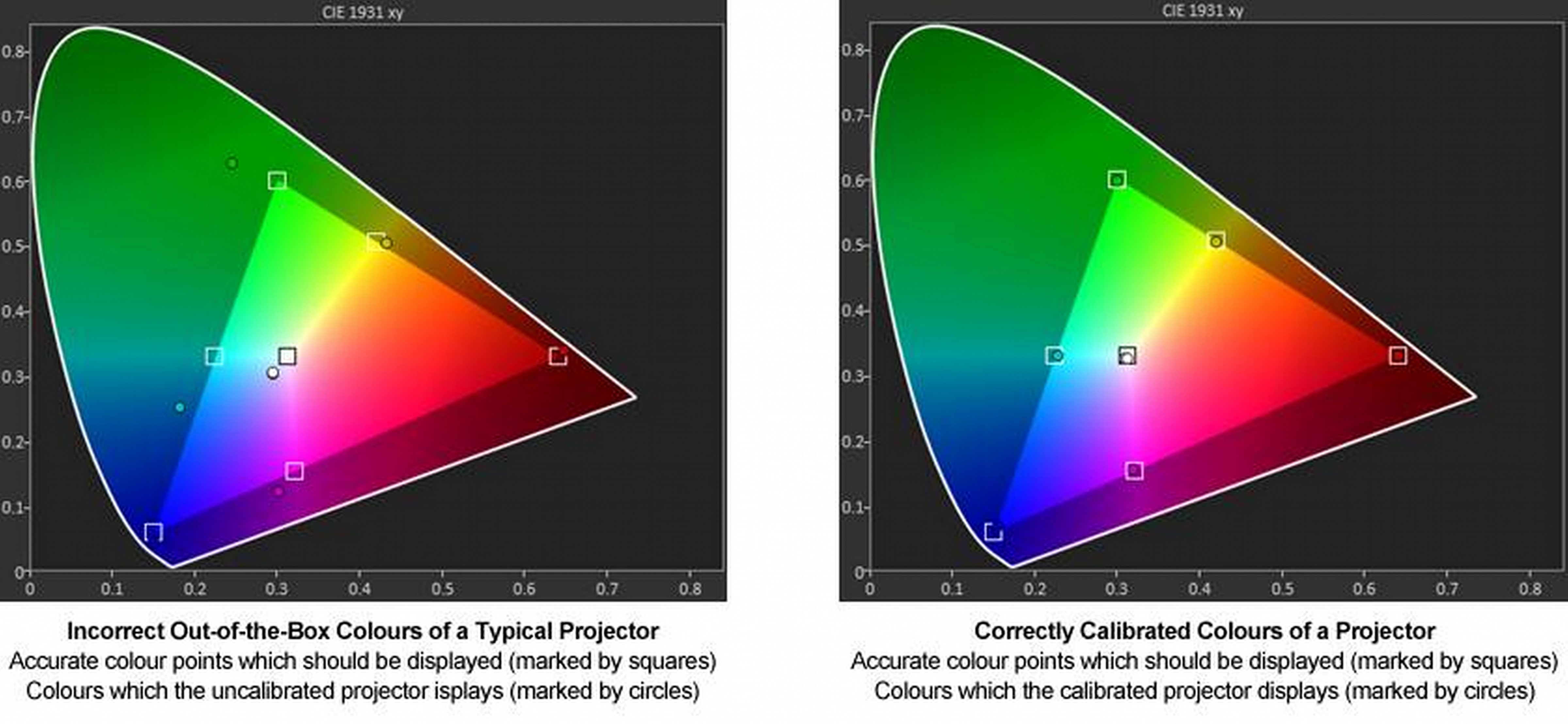
Most picture complaints in a home cinema come from settings, not faulty equipment. Video calibration and, where used, a dedicated processor address problems with HDR brightness, colour, white balance, shadow detail and aspect ratio. Many of these can be improved without replacing the projector. Common examples:
- HDR films that look dim, flat or washed out
- Highlights (sky, lamps, reflections) that lose detail
- Dark scenes where shadow detail disappears
- Whites with a blue or yellow tint
- Colours that look oversaturated or unnatural
- Black bars on a scope screen, or a picture resized by hand
- A picture that changes noticeably between sources
What certifications does SMART Home Cinema's founder hold?
Paul Joseph Klattan, founder of SMART Home Cinema in Madurai, Tamil Nadu, holds certifications in both video and audio calibration. For the picture, he is ISF Certified and Certified for Envy – Product Specialist (Level 1) by madVR Labs. For sound, he holds HAA Level 3 and is a Trinnov Certified Professional.
- ISF Certified — video calibration, Imaging Science Foundation
- Certified for Envy – Product Specialist (Level 1) — madVR Labs. The training course is public; the certification exam is open only to industry professionals. It covers setup, configuration and optimisation of the madVR Envy.
- HAA Level 3 — audio calibration; Level 3 is the highest tier of HAA's certification
- Trinnov Certified Professional
Glossary
- Video processor: a unit that prepares the video signal before the display shows it.
- Tone mapping: adapting HDR brightness to what a screen can show.
- 3D LUT: a colour correction table built from measurements.
- Nit (cd/m²): a unit of brightness.
- Scope screen: a wide screen shaped for widescreen films, typically 2.39:1 (often still called 2.35:1).
- Aspect ratio: the width-to-height shape of the picture.
Related services
The picture is one part of a complete system. Room design, acoustics, speakers and screen all shape the final result.
Frequently asked questions — madVR Envy and projector calibration
1. What is a madVR Envy?
The madVR Envy is a dedicated video processor made by madVR Labs. It is typically placed between the AV receiver and the projector, and handles frame-by-frame HDR tone mapping, automatic aspect ratio detection, upscaling and high-precision 3D LUT colour calibration.
2. Why does a madVR Envy need professional calibration?
It prepares the picture from what it is told about the projector and screen. HDR tone mapping depends on the peak brightness measured on the actual screen, and the 3D LUT is only as accurate as the measurements used to build it.
3. Which madVR Envy model is right for a home cinema?
All four of the newest configurations share frame-by-frame HDR tone mapping, automatic aspect ratio detection and 3D LUT calibration. The Premium Pack and higher models add 5K/8K upscaling and AI compression artifact and noise reduction; the Extreme MK3 adds geometry correction and MotionAI. Model choice depends on screen size, projector output and content.
4. How much does a madVR Envy cost in India?
The madVR Envy is priced model by model within SMART Home Cinema's project proposal, after the screen and projector are chosen. A dedicated processor is most often considered in reference-level home cinema projects, which start at ₹50 lakh.
5. Why do HDR films look dim on a projector?
HDR films carry a much wider brightness range than a projector can show on a large screen, so most HDR content needs adapting to the screen's measured brightness — called tone mapping. Done poorly, highlights wash out or the image goes dim.
6. Does every home cinema need a madVR Envy?
No. A dedicated processor earns its place in large-screen projector cinemas where HDR quality and aspect ratio handling matter. With smaller screens or bright flat panels the benefit is usually smaller, and the budget often does more in room design and acoustics first.
7. What is ISF projector calibration?
ISF calibration is video calibration by a professional certified by the Imaging Science Foundation. The picture is measured with instruments, adjusted towards published standards — ITU-R BT.709 for SDR and ITU-R BT.2100 for HDR — and measured again to verify the result.
8. Is Paul Joseph Klattan madVR and ISF certified?
Yes. Paul Joseph Klattan, founder of SMART Home Cinema, is ISF Certified for video calibration and Certified for Envy – Product Specialist (Level 1) by madVR Labs. For audio calibration, he holds HAA Level 3.
9. Do you supply and calibrate madVR Envy outside Madurai?
Yes. SMART Home Cinema supplies, sets up and calibrates the madVR Envy as part of its home cinema projects across Tamil Nadu, Karnataka, Kerala, Andhra Pradesh and Telangana. Video calibration is done only within these projects, on-site in the finished room.
A projector, screen, processor and room work as one optical system. Video calibration — and, where the room justifies it, a madVR Envy — aims to reproduce the intended picture as closely as that system allows.
Planning a high-end home cinema in South India?
Reference-level home cinema projects start at ₹50 lakh. Share your room size and plans on WhatsApp and we will advise on the projector, screen and processing that suit it.
 WhatsApp Us


